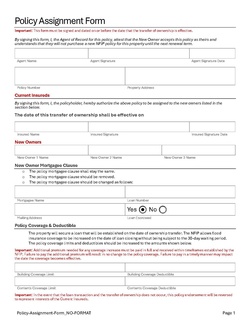
This procedure explains how agents can request a policy assignment. A policy assignment transfers an NFIP policy from the current policyholder to a new policyholder due to a change in ownership.
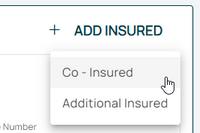
From the next menu, click the Policyholder or Co-insured option
Otherwise, scroll down to the Policyholder section manually.
3. Add, Edit, Delete
The Policy Assignment may require co-insureds or additional insureds to be added or deleted. The policyholder must be edited.
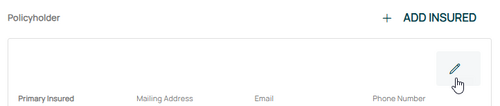
Edit Policyholder
Use the Edit button (pencil icon) in the upper right of the Policyholder section.
This will open the Insured fields for editing.
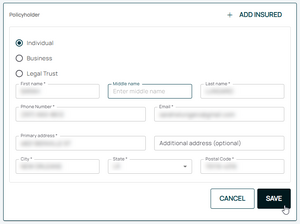
Make the appropriate entries to the policyholder details as needed.
Change Policyholder Details
Make changes to the following:
Legal status/entity
Name
Email address
Phone number
Mailing address.
Once all details are entered, click the "Save" button.
If co-insureds or additional insureds need to be added or removed, refer to the boxes below.
If nothing else remains, move to Step 4 below.
Add Insured
After selecting the Add Insured button, choose either a co-insured or an additional insured.
When adding a new insured (co-insured or additional insured), click the "Add Insured" button in the upper right of the Policyholder section.
Select "Individual", "Business", or "Legal Trust"
Enter the contact details in the fields below.
All starred fields are required.
Once all details are entered, click the "Save" button. If co-insureds or additional insureds need to be removed, refer to the box below before moving to Step 4 below).
Delete Insured
Use the Delete button (trash can icon) in the upper right of the Co-insured or Additional Insured section.
The policyholder can be edited but not deleted.
If chosen by accident, this can be undone by clicking the Abort button in the upper right.
Once all details are entered, click the "Save" button. If no other changes are needed, move to Step 4 below).
4. Choose Effective Date
Scroll to the top of the page to enter the effective date.
Enter the appropriate date.
Backdating to the inception date is allowed for corrections.