
Submit Change to NFIP Billing Instructions: Difference between revisions
No edit summary |
No edit summary |
||
| Line 14: | Line 14: | ||
|number = 1 | |number = 1 | ||
|title = Step 1: Find the Policy | |title = Step 1: Find the Policy | ||
|content = | |||
Text of the information (edit this).<br> | |||
{{img-proc-frm | |||
|file = File:Img-eq-app-01.png | |||
|width = 600px | |||
}} | |||
Any other text below an image (edit image and this line). | |||
}} | |||
{{collapsible-section | |||
|number = 2 | |||
|title = Step 2: Click "Check Out" | |||
|content = | |||
Text of the information (edit this).<br> | |||
{{img-proc-frm | |||
|file = File:Img-eq-app-01.png | |||
|width = 600px | |||
}} | |||
Any other text below an image (edit image and this line). | |||
}} | |||
{{collapsible-section | |||
|number = 3 | |||
|title = Step 3: Find Billing Information | |||
|content = | |||
Text of the information (edit this).<br> | |||
{{img-proc-frm | |||
|file = File:Img-eq-app-01.png | |||
|width = 600px | |||
}} | |||
Any other text below an image (edit image and this line). | |||
}} | |||
{{collapsible-section | |||
|number = 4 | |||
|title = Step 4: Update Billing Information | |||
|content = | |||
Text of the information (edit this).<br> | |||
{{img-proc-frm | |||
|file = File:Img-eq-app-01.png | |||
|width = 600px | |||
}} | |||
Any other text below an image (edit image and this line). | |||
}} | |||
{{collapsible-section | |||
|number = 5 | |||
|title = Step 5: Complete the Update | |||
|content = | |content = | ||
Text of the information (edit this).<br> | Text of the information (edit this).<br> | ||
Revision as of 08:51, 16 December 2024



Summary of the procedure. This will show up in the "How Do I" page.
|
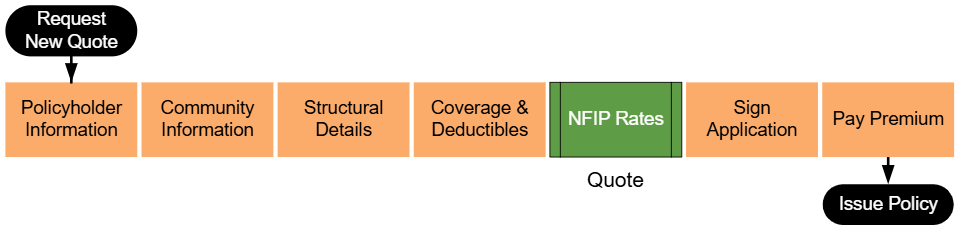
Lorem ipsum dolor sit amet, consectetur adipiscing elit, sed do eiusmod tempor incididunt ut labore et dolore magna aliqua. Ut enim ad minim veniam, quis nostrud exercitation ullamco laboris nisi ut aliquip ex ea commodo consequat. Duis aute irure dolor in reprehenderit in voluptate velit esse cillum dolore eu fugiat nulla pariatur. Excepteur sint occaecat cupidatat non proident, sunt in culpa qui officia deserunt mollit anim id est laborum.
Step 1: Find the Policy
Text of the information (edit this).
 Any other text below an image (edit image and this line).
Step 2: Click "Check Out"
Text of the information (edit this).
Any other text below an image (edit image and this line).
Step 3: Find Billing Information
Text of the information (edit this).
Any other text below an image (edit image and this line).
Step 4: Update Billing Information
Text of the information (edit this).
Any other text below an image (edit image and this line).
Step 5: Complete the Update
Text of the information (edit this).
Any other text below an image (edit image and this line).