
Submit Change to Mortgagee Clause


This procedure explains how agents can request changes to the mortgagee clause on an NFIP policy. A change in mortgagee will create a new Declarations Page. Incorrect mortgagee information is a common cause of claim payment delay.
|
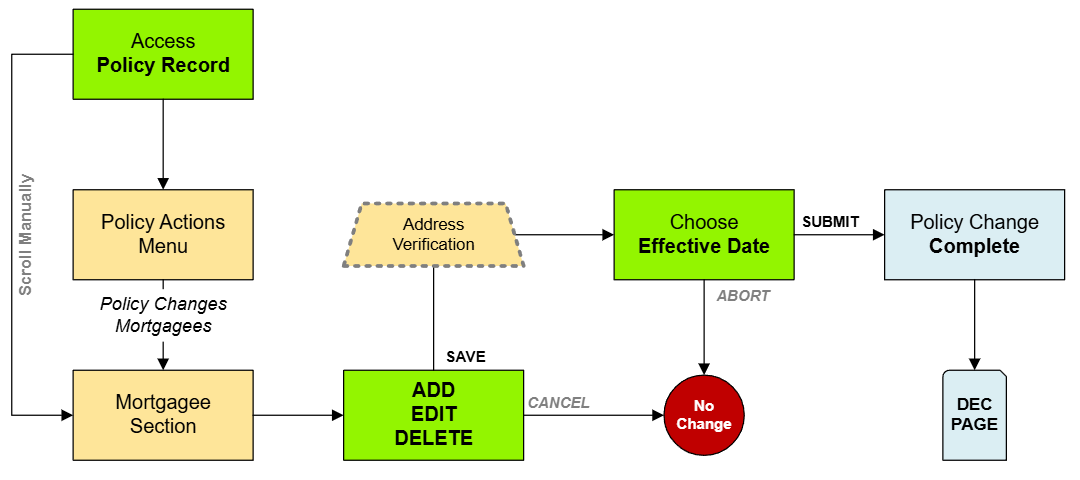
Procedural Steps
1. Access Policy Record

Open the Policy Record to start
To quickly navigate to the Mortgagees section:
- Find the Policy Actions block on the right
- Choose Policy Changes
- From the next menu, click the Mortgagees option
2. Add / Edit / Delete
Enter the requested changes using the options below.
Add New Mortgagee
To add a mortgagee, follow these steps:

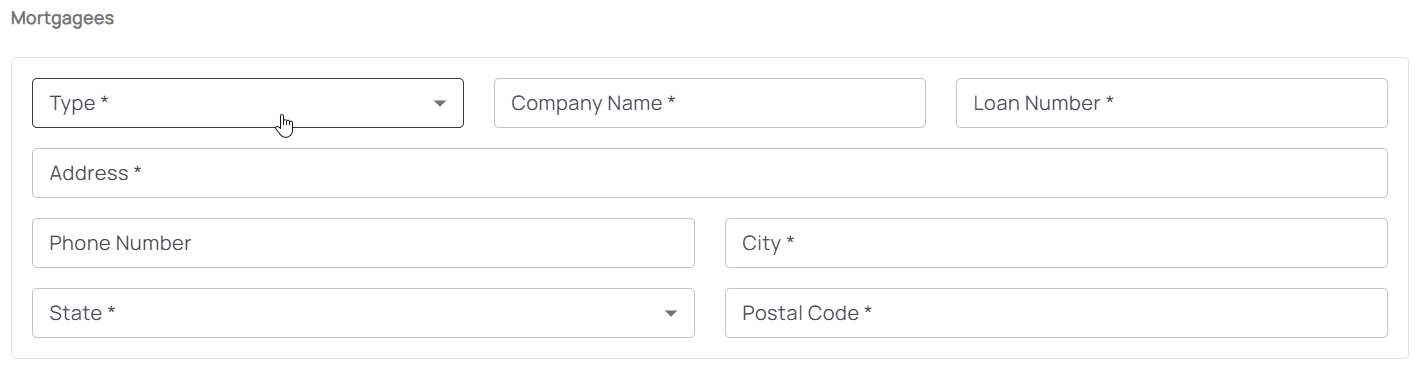
- Click the "Add Mortgagee" button
- Enter the mortgagee information
- All starred content (seen below) must be entered for the "Add" button to activate
- Mortgagee Type will sort the mortgagee clause into the proper position
Update Mortgagee Details
To update a mortgagee, follow these steps:
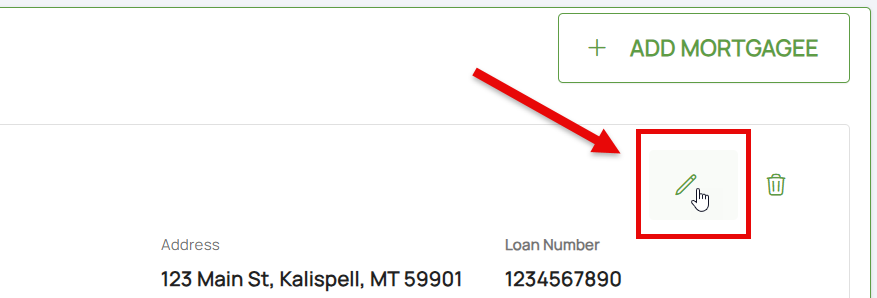
- Click the Pencil icon
- Adjust the appropriate mortgagee information
- All starred content (seen below) must be entered for the "Save" button to activate
- Mortgagee Type will sort the mortgagee clause into the proper position, such as when moving a first mortgagee into the second mortgagee position
- Once all details are entered, click the "Save" button (move to Step 4 below)
Remove Mortgagee
To remove a mortgagee, follow these steps:
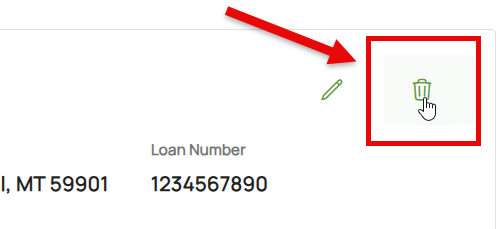
 Once all details are entered, click the "Save" button (move to Step 4 below)
- Click the Trash Can icon
- If needed, the deletion can be reverted (see below)
3. Choose Effective Date

Scroll to the top of the page to enter the effective date.
- Backdating is not allowed.
- Enter today's date or a later effective date.
- Choose "None" for the Waiting Period.
4. Review and Submit
Review the changes for accuracy and completeness before finalizing.
Once the effective date is entered, click the Issue button.
- The "Abort" button will exit without saving any details.
The system will process the change immediately. A Declarations page with the updated information will be available in the Documents section of the Policy Record.

