
Pay NFIP New Business

This procedure explains how agents can submit premium payments for NFIP New Business applications.
|
Procedural Steps
1. Complete Application

Finish the NFIP Application
- Provide a drawn or text electronic signature
- Click the "Use This Signature" button
- This records the signature date as "Date Signed"
- Click the "Continue" button
- This moves the user out of the application and into the Payment Methods (see Step 2, below)
2. Choose Payment Method
Navigate to the "Policy Actions" menu and select "Submit Payment."
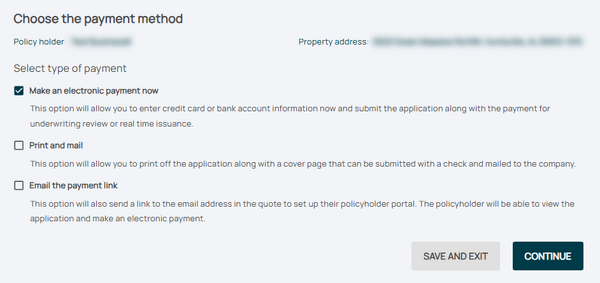
Review the pre-filled details, including:
- Policy number
- Premium amount
- Payment due date

3. Follow-up
* Provide payment information, such as:
 * Credit card details
 * Bank routing and account numbers
- Confirm the payment amount matches the premium due.
