
Pay NFIP New Business

This procedure explains how agents can submit premium payments for NFIP New Business applications.
|
Procedural Steps
1. Complete Application

Finish the NFIP Application
- Provide a drawn or text electronic signature
- Click the "Use This Signature" button
- This records the signature date as "Date Signed"
- Click the "Continue" button
- This moves the user out of the application and into the Payment Methods (see Step 2, below)
2. Choose Payment Method
The next page allows the agent to choose between three payment methods.
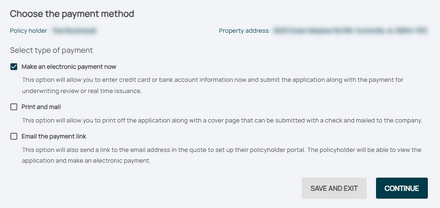
Three agent options after the application is complete

- Make an electronic payment now
- Use Equinox to make an immediate Premium Payment
- Print and mail
- Print the application packet; payment will be mailed to the address provided
- Email the payment link
- Forward an email link to the policyholder to make payment using the Consumer Portal
Clicking the "Continue" button will create a new policy, as shown in Step 3 below.
3. Follow-up
The type of follow-up needed will be dependent on payment method. Click the appropriate box below for more details.
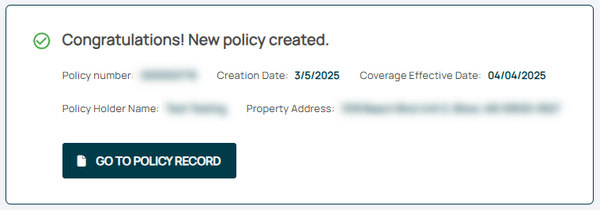
Immediate Payment, Auto-issued
After the premium payment is submitted using Equinox, the policy may auto-issue. This requires no underwriting review.

Immediate Payment, Underwriting
After the premium payment is submitted using Equinox, the policy may require underwriting review.
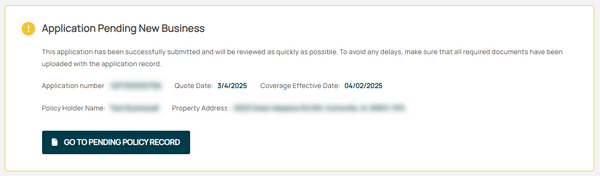
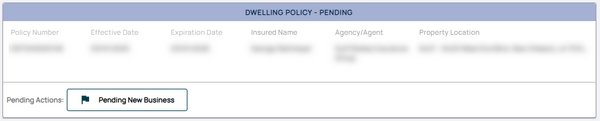

The policy can be found in the Pending Transactions queue with a "Pending New Business" flag.

Equinox Options After "Print and Mail"
Use this page to download a copy of the Application Package to your device by clicking the button
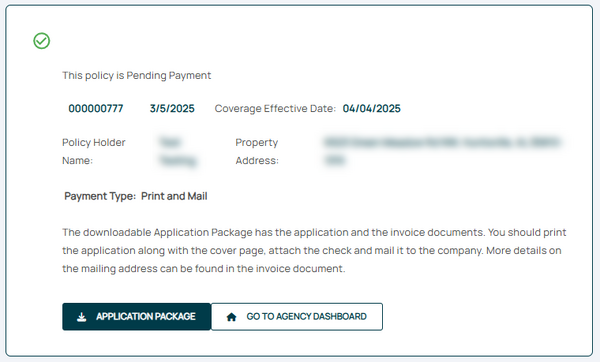


The policy can be found in the Pending Transactions queue with "Pending Payment" and "Pending New Business" flags.

Equinox Options After "Email the Payment Link"
Use this page to email a link to the payment page of the Consumer Portal.
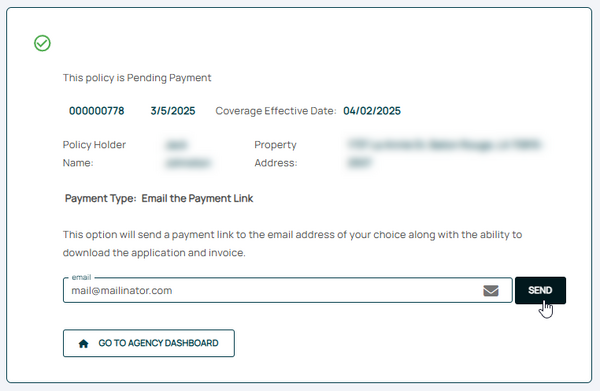
The recipient has the option to download the Application Package.

The policy can be found in the Pending Transactions queue with "Pending Payment" and "Pending New Business" flags.
