
Pay NFIP Policy Change

This procedure explains how agents can submit premium payments for an NFIP Policy Change.
|
Procedural Steps
1. Submit Policy Change
Create a Policy Change for an NFIP Policy.

The top of the screen will show a "Balance Due" when premium must be collected.

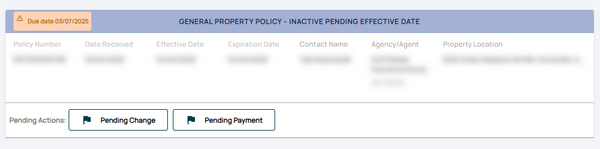
The policy can be found later in the Pending Transactions queue.
A "Pending Change" and "Pending Payment" flag will be shown in the policy listing.

2. "Make Payment" Button
* Navigate to the "Policy Actions" menu and select "Submit Payment."
- Review the pre-filled details, including:
 * Policy number
 * Premium amount
* Payment due date
3. Follow-up
* Provide payment information, such as:
 * Credit card details
 * Bank routing and account numbers
- Confirm the payment amount matches the premium due.
