
Submit Change to Agent of Record

This page describes the steps an agent will follow in the Equinox system to change the agent of record (AOR) on an NFIP policy. A signed request from the policyholder is required to complete this process.
|
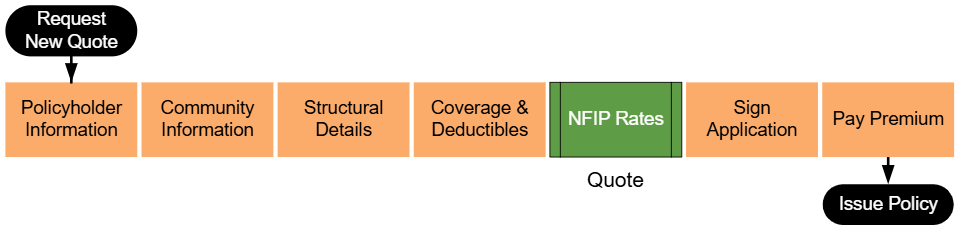
Lorem ipsum dolor sit amet, consectetur adipiscing elit, sed do eiusmod tempor incididunt ut labore et dolore magna aliqua. Ut enim ad minim veniam, quis nostrud exercitation ullamco laboris nisi ut aliquip ex ea commodo consequat. Duis aute irure dolor in reprehenderit in voluptate velit esse cillum dolore eu fugiat nulla pariatur. Excepteur sint occaecat cupidatat non proident, sunt in culpa qui officia deserunt mollit anim id est laborum.
Step 1: Find the Policy
Text of the information (edit this).
 Any other text below an image (edit image and this line).
Step 2: Click "Check Out"
Text of the information (edit this).
Any other text below an image (edit image and this line).
Step 3: Find Billing Information
Text of the information (edit this).
Any other text below an image (edit image and this line).
Step 4: Update Billing Information
Text of the information (edit this).
Any other text below an image (edit image and this line).
Step 5: Complete the Update
Text of the information (edit this).
Any other text below an image (edit image and this line).
- A change to the agent of record transfers responsibility for managing the policy from one agent to another.
- The request must be initiated by the policyholder and accompanied by a signed document authorizing the change.
- Required documentation must be collected and verified before submitting the request.
Steps to Submit Change to Agent of Record
- Log in to the Equinox system and locate the policy for which the AOR will be changed.
- Use the search bar to find the policy by number, address, or policyholder name.
- Verify that the policy is eligible for an agent of record change.
- Select the Agent of Record tab or menu option for the policy.
- Click the Submit AOR Change button to start the process.
- If the button is not visible, confirm the policy's eligibility and the completeness of required documentation.
- Enter the new agent's details:
- Agent Name: Full name of the new agent.
- Agency Information: Agency name, license number, and contact details.
- Attach the required documentation:
- Signed Policyholder Request: A document signed by the policyholder authorizing the change.
- Agent Certification: Any additional forms required by NFIP guidelines for AOR changes.
- Review the entered information and uploaded documents for accuracy.
- Submit the AOR change request.
- A confirmation message will appear with a reference number for tracking the request.
- Notify both the current and new agents of the submitted request.
Common Issues
- Missing or invalid policyholder request.
- Ensure the request is signed and includes all required details.
- Errors in the new agent's information.
- Double-check license numbers and contact details before submission.
- Policy ineligible for AOR change.
- Verify that the policy meets NFIP guidelines for agent changes.
Additional Resources
- Policyholder Request Requirements for AOR Changes
- Agent of Record Change Eligibility Guidelines
- How to Resolve AOR Change Submission Errors
