
Submit NFIP Policy Transfer


Agents can request a transfer/rollover to move NFIP policies from one WYO carrier to another. This procedure outlines the steps agents must follow to submit a single-policy transfer or a book of business transfer. Transfer/rollover requests ensure policyholders maintain continuous coverage while transitioning to a new WYO carrier.
|
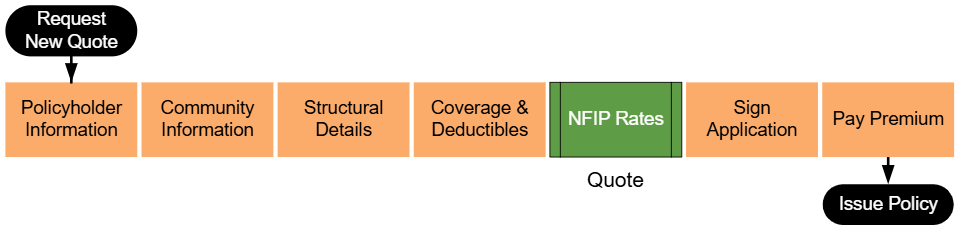
Lorem ipsum dolor sit amet, consectetur adipiscing elit, sed do eiusmod tempor incididunt ut labore et dolore magna aliqua. Ut enim ad minim veniam, quis nostrud exercitation ullamco laboris nisi ut aliquip ex ea commodo consequat. Duis aute irure dolor in reprehenderit in voluptate velit esse cillum dolore eu fugiat nulla pariatur. Excepteur sint occaecat cupidatat non proident, sunt in culpa qui officia deserunt mollit anim id est laborum.
Step 1: Find the Policy
Text of the information (edit this).
 Any other text below an image (edit image and this line).
Step 2: Click "Check Out"
Text of the information (edit this).
Any other text below an image (edit image and this line).
Step 3: Find Billing Information
Text of the information (edit this).
Any other text below an image (edit image and this line).
Step 4: Update Billing Information
Text of the information (edit this).
Any other text below an image (edit image and this line).
Step 5: Complete the Update
Text of the information (edit this).
Any other text below an image (edit image and this line).
Key Steps
- Determine the Type of transfer/rollover
- Decide whether to request a single-policy transfer or a book of business transfer.
- Confirm that the affected policies are nearing their renewal date and eligible for transfer.
- Complete the transfer/rollover Request Form
- Fill out the required form provided by the new WYO carrier.
- Include:
- Policy numbers for all policies being transferred.
- Agent’s signed authorization to access the original carrier’s system.
- Contact details for follow-up, if necessary.
- Gather Required Documentation
- For single-policy transfers:
- Provide supporting documents such as proof of prior coverage or payment records, if required.
- For book of business transfers:
- Ensure the list of policy numbers is complete and accurate.
- For single-policy transfers:
- Submit the transfer/rollover Request
- Send the completed form and required documents to the new WYO carrier using the specified submission method (e.g., email, portal upload).
- Retain copies of the submission for your records.
- Follow Up with the New Carrier
- Monitor the status of the transfer/rollover request through the carrier’s system or by contacting their support team.
- Provide additional information or documentation promptly if requested.
Common Scenarios
- Missing Policy Numbers: Ensure the policy list for book of business transfers is accurate and complete before submission.
- Authorization Issues: Confirm the authorization form is signed and includes the correct credentials for accessing the original carrier’s system.
- Submission Errors: Check for carrier-specific requirements to avoid delays in processing the request.
References
- [Flood Insurance Manual: Renewals Section](URL: https://www.fema.gov/sites/default/files/documents/fema_nfip_flood-insurance-manual_042024.pdf)
- Carrier-Specific transfer/rollover Guidelines
