
Consumer Portal
The Consumer Portal empowers policyholders to manage their policies directly while staying connected with their agents for support. It provides a user-friendly interface for accessing policy information, making payments, and submitting requests.
The Consumer Portal is a one-stop shop, empowering policyholders with these features:
- Convenience: Policyholders have 24/7 access to their policies and related actions.
- Transparency: Real-time updates keep users informed of their policy status.
- Support: Integration with agent workflows ensures prompt assistance.
-
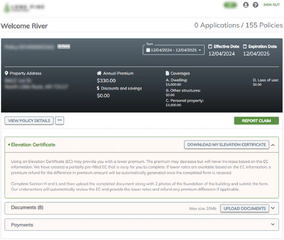 Policy View
 -
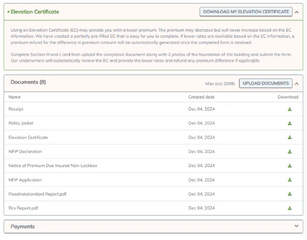 Policy Documents
 -
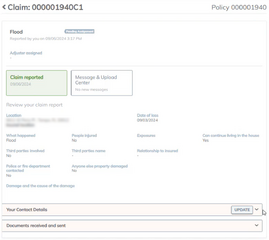 Claims View
 -
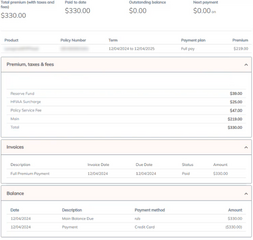 Payments with Premium Calculation


Consumer Portal Overview
The Consumer Portal is designed for policyholders to access and manage their policies with ease.
Features include:
- Access to policy details and documents.
- Ability to report claims, request changes, or initiate cancellations.
- Notifications sent via email for actions like renewal reminders or required document uploads.
- Integration with Elevation Certificate generation for policyholders to download, complete, and resubmit.
- Displays key details such as policy number, effective dates, and coverage limits.
- Provides a summary of recent activity, including payments and endorsements.
Customer Relationship Management (CRM)
- Features a direct messaging tool for policyholders to communicate with their agents.
- Displays agent contact information prominently for easy access.
- Ensures agents are notified of any policyholder actions or inquiries.
| Important |
Navigation Tips for Policyholders
|
Payment Management
- Enables policyholders to view their billing history and make payments online.
- Supports multiple payment methods for convenience.
- Includes reminders for upcoming payment due dates.
Policyholder Actions
- Request Policy Changes: Allows users to submit requests for changes to their policies, such as updates to coverage or contact details.
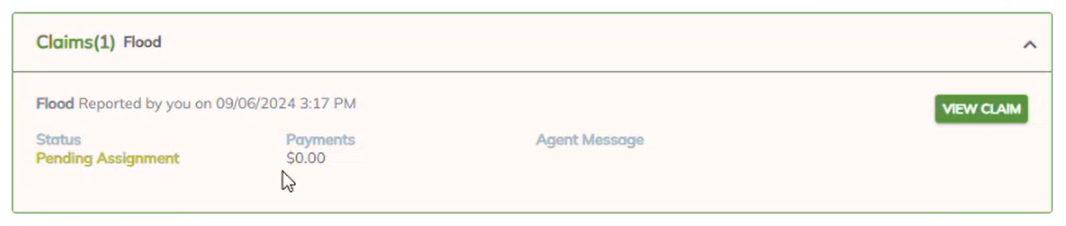
- File a Claim: Provides a guided process for initiating claims directly through the portal.
- Request Cancellation: Policyholders can select valid cancellation reasons, attach required documents, and update mailing information for refunds.
Document Access
- Policyholders can view and download key documents, such as declarations pages, invoices, and correspondence.
- Secure storage ensures privacy and accessibility.
-
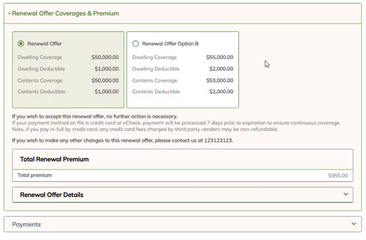 Make Renewal Payments
 -
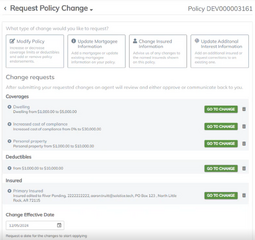 Request Policy Changes
 -
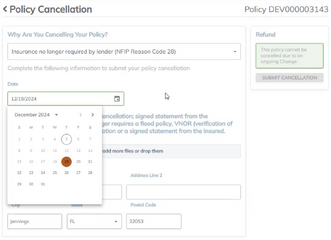 Submit Cancellation Requests


Consumer Portal Guides
Use the Quick Reference Guides shown below to walk policyholders through Consumer Portal functions.
| Guide | Description |
|---|---|
| Request Policy Changes | Allows updates to coverage, deductibles, mortgage information, or insured details. Non-monetary changes are auto-issued; monetary changes are sent for underwriter review. |
| Make Renewal Payment | View outstanding balances, upcoming bills, and payment options, including NFIP Option B. Will include payment plan options. |
| Request Cancellation | Policyholders can select valid cancellation reasons, attach required documents, and update mailing information for refunds. |
| Report First Notice of Loss | Users can report claims and communicate with examiners or adjusters via a message center, includes document sharing and status updates (e.g., pending assignment or proof of loss). |
| Create Elevation Certificate | Generate the FEMA Elevation Certificate with directions to complete section H. |
| Upload Document | Show policyholders how to download and upload documents. |